Crosstela HandbookПосібник Get the appЗавантажити застосунок

HandbookColours and lines

The Palette

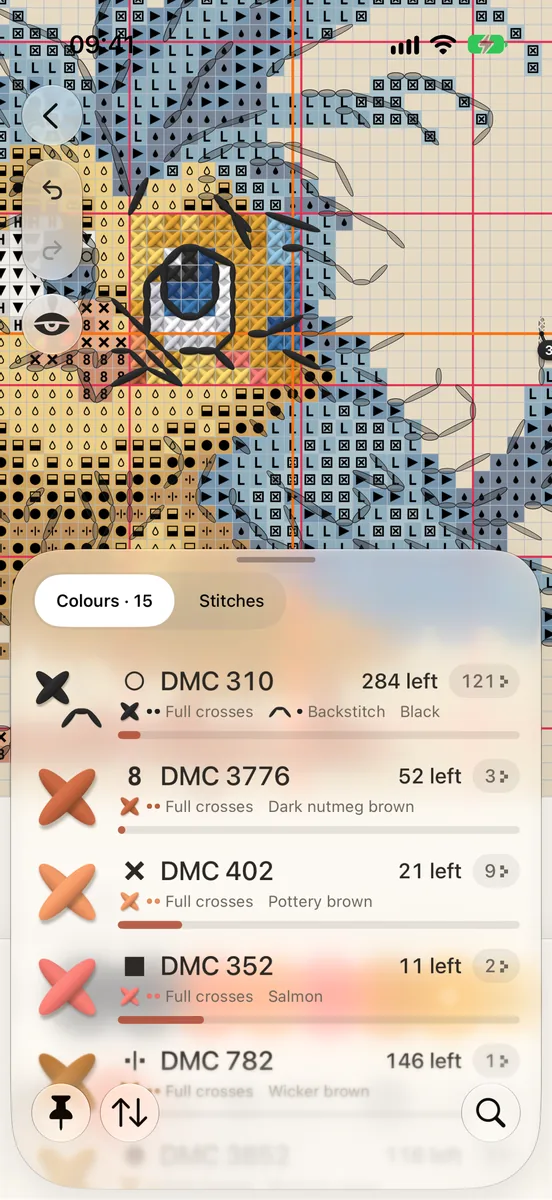
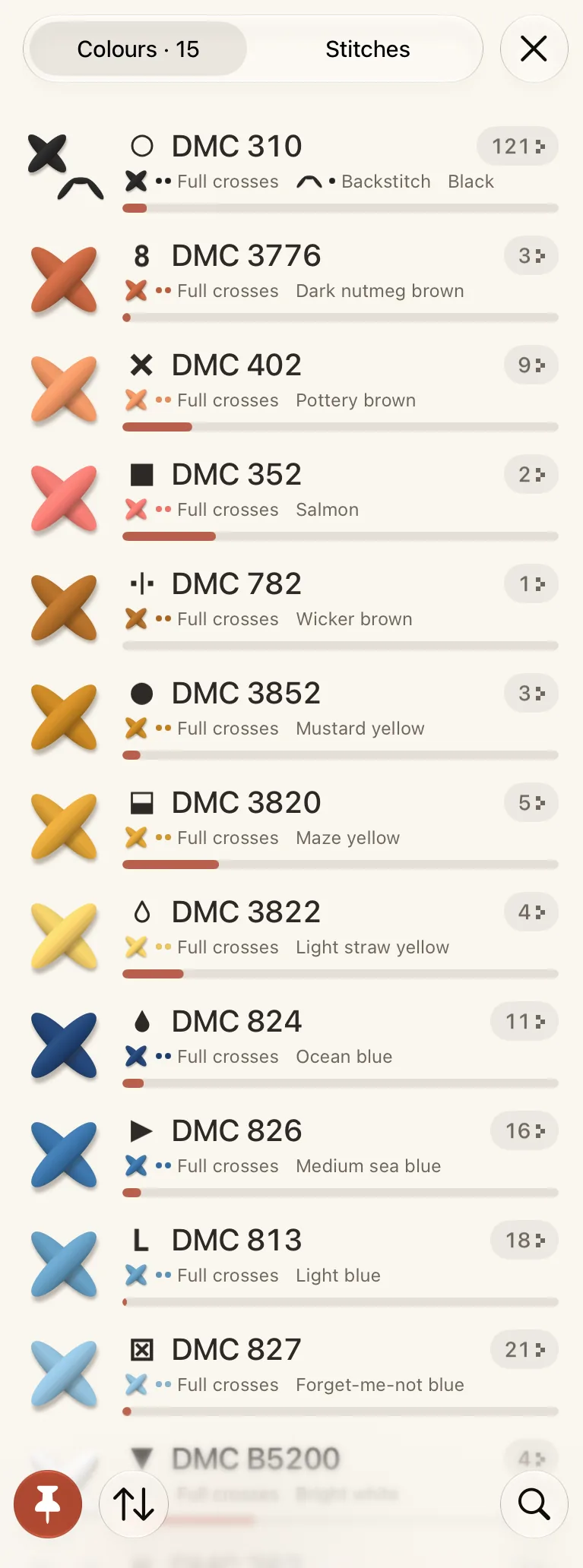
Every thread in the pattern, with its symbol, code, name and how much is left to stitch.

On this page
  1. Colours and Stitches
  2. Sort and search
  3. Keep the colours beside the chart
  1. Tap the Palette button at the top of the chart.
  2. Colours lists every thread: its symbol, code and name, and how many stitches are left.
  3. Tap a thread to show only that colour on the chart. See Stitch one colour at a time.
  4. Press and hold a thread for its menu.
  1. 1Colours / Stitches
  2. 2A thread row
  3. 3Progress and patches
  4. 4The pin
  5. 5Sort
  6. 6Search

Colours and Stitches

Stitches lists the kinds of stitch in the pattern, such as full crosses, half stitches, backstitch, knots and beads, with how many of each are left. Tap one to show only that kind on the chart. See Half stitches, knots and beads.

Sort and search

  • Sort orders the list by Chart order, By code, Left to stitch or Patches. A finished thread always goes last.
  • To search, tap the magnifying glass, or pull the list down, and type a code or a colour.

Keep the colours beside the chart

Tap the pin at the foot of the Palette to keep this chart’s colours on screen: a rail at the side on iPad, a row above the tools on iPhone. Tap it again to put them away.

  1. 1The pin keeps these colours in the row

ПосібникКольори й лінії

Палітра

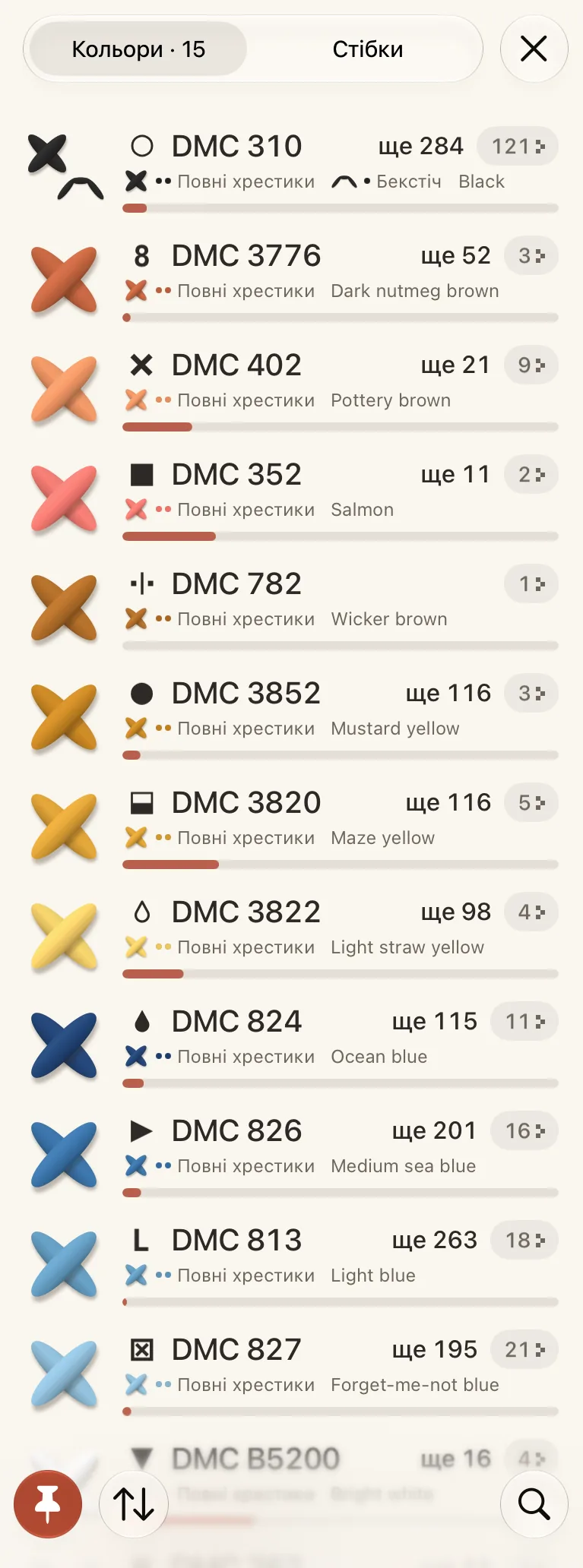
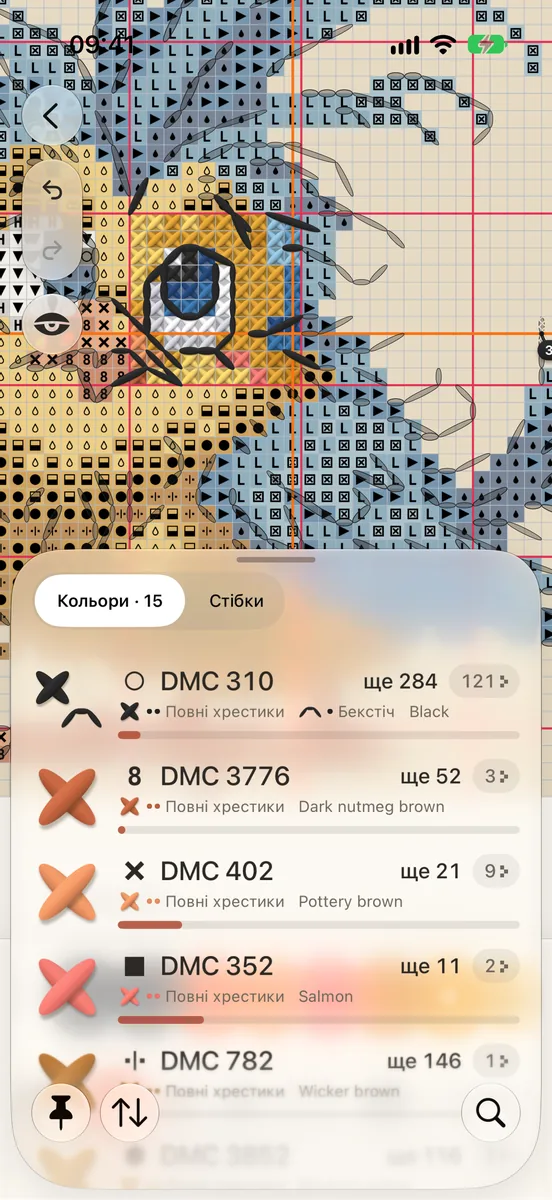
Усі нитки схеми — із символом, кодом, назвою й тим, скільки лишилося вишити.

На цій сторінці
  1. Кольори і Стібки
  2. Сортування й пошук
  3. Тримайте кольори поруч зі схемою
  1. Торкніться кнопки Палітри вгорі схеми.
  2. Кольори — це список усіх ниток: символ, код і назва, а також скільки стібків лишилося.
  3. Торкніться нитки, щоб на схемі лишився тільки цей колір. Див. Вишивайте один колір за раз.
  4. Утримуйте нитку, щоб відкрити її меню.
  1. 1Кольори / Стібки
  2. 2Рядок нитки
  3. 3Прогрес і ділянки
  4. 4Шпилька
  5. 5Сортувати
  6. 6Пошук

Кольори і Стібки

Стібки — це список видів стібків у схемі: повні хрестики, півхрестики, бекстіч, вузлики, бісер — і скільки кожного лишилося. Торкніться виду, щоб на схемі лишився тільки він. Див. Половинки, вузлики й бісер.

Сортування й пошук

  • Сортувати впорядковує список: Порядок схеми, За кодом, Залишилося вишити або Ділянки. Завершена нитка завжди стоїть останньою.
  • Щоб шукати, торкніться лупи або потягніть список униз і введіть код чи колір.

Тримайте кольори поруч зі схемою

Торкніться шпильки унизу Палітри, щоб кольори цієї схеми лишалися на екрані: шкалою збоку на iPad, рядом над інструментами на iPhone. Торкніться ще раз, щоб прибрати їх.

  1. 1Шпилька тримає ці кольори в ряду