Crosstela HandbookПосібник Get the appЗавантажити застосунок

HandbookYour patterns

Bring in a pattern file

Open a pattern from Files, send it from another app, or drag it onto the shelf.

On this page
  1. From Files
  2. From Mail, Messages, Files or a browser
  3. Drag it onto the shelf
  4. What happens next

From Files

  1. On the shelf, tap +.
  2. Tap Choose a file….
  3. Find the file and tap it.

From Mail, Messages, Files or a browser

  1. Tap the file in the other app to open it.
  2. Tap Share .
  3. Choose Crosstela in the row of apps. Not there? Swipe the row to the end and tap More.

A pattern sent to you by AirDrop opens the same way: choose Crosstela when your device asks.

Drag it onto the shelf

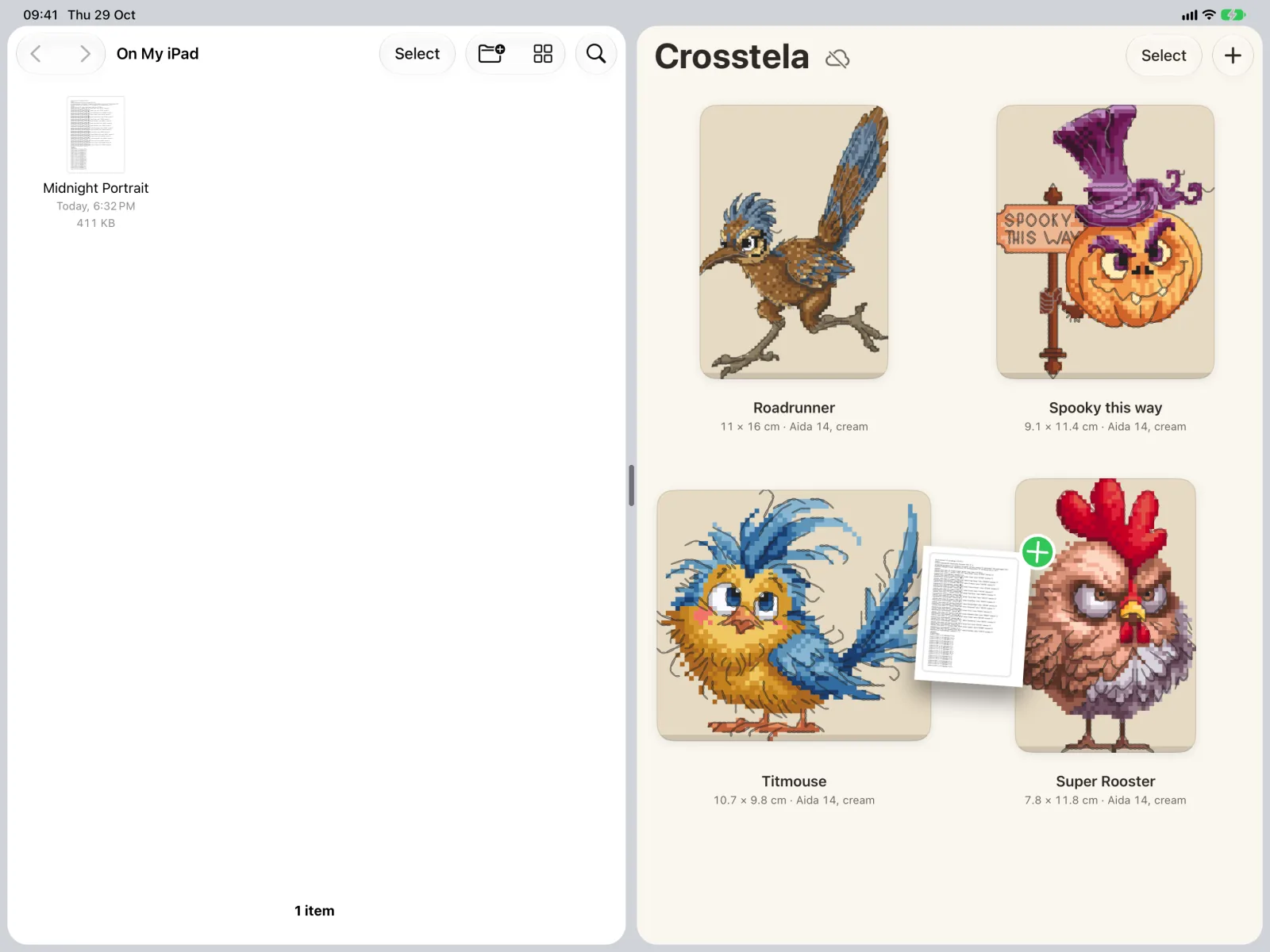
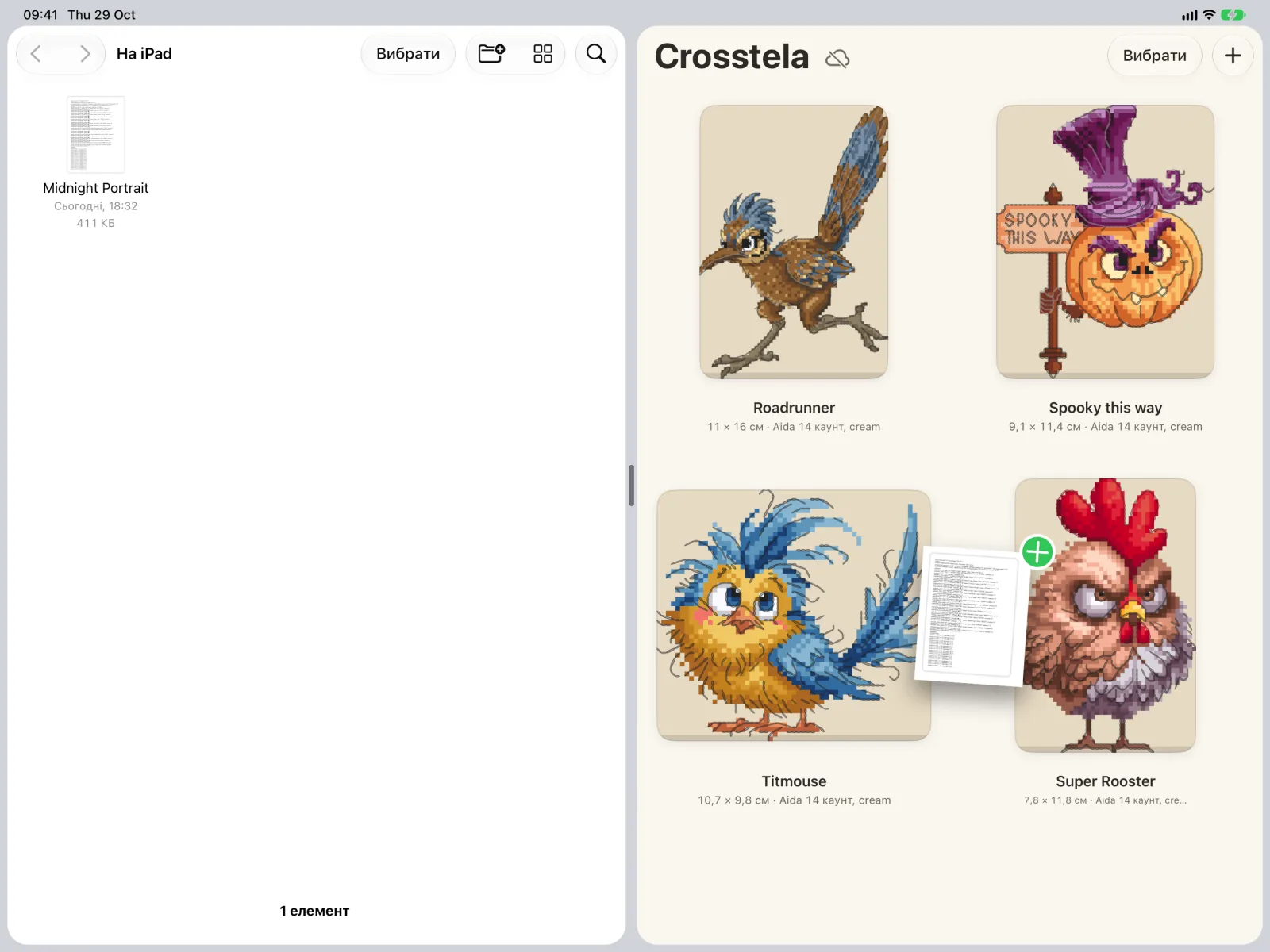
On iPad, open Files next to Crosstela (Split View or Slide Over). Drag the file onto the shelf and let go. You can drag several files at once.

  1. 1Files
  2. 2Drop it on the shelf

What happens next

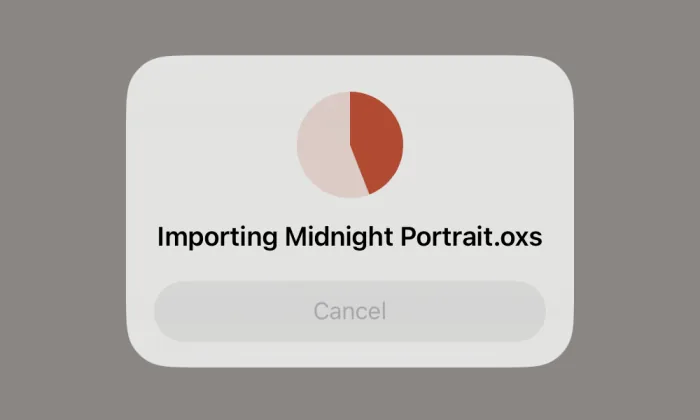
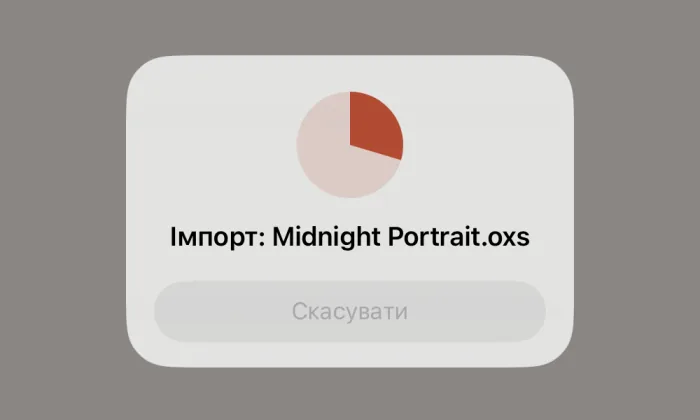
A card shows Importing while the file is read. Tap Cancel to stop. One file opens as soon as it is read; several files stay on the shelf as new cards.

The import card on the shelf: Importing Midnight Portrait, with a progress pie and Cancel.
While Crosstela reads the file, the card shows how far it has got.

A zip or RAR archive works too. If it holds more than one pattern, Crosstela asks which to open.

ПосібникВаші схеми

Додайте файл схеми

Відкрийте схему з Файлів, надішліть її з іншого застосунку або перетягніть на полицю.

На цій сторінці
  1. З Файлів
  2. З Пошти, Повідомлень, Файлів або браузера
  3. Перетягніть на полицю
  4. Що далі

З Файлів

  1. На полиці торкніться +.
  2. Торкніться Вибрати файл….
  3. Знайдіть файл і торкніться його.

З Пошти, Повідомлень, Файлів або браузера

  1. Відкрийте файл в іншому застосунку.
  2. Торкніться «Поділитися» .
  3. Виберіть Crosstela в ряду застосунків. Немає? Прокрутіть ряд до кінця й торкніться Більше.

Схема, яку вам надіслали через AirDrop, відкривається так само: виберіть Crosstela, коли пристрій запитає.

Перетягніть на полицю

На iPad відкрийте Файли поруч із Crosstela (Split View або Slide Over). Перетягніть файл на полицю й відпустіть. Можна перетягнути кілька файлів одразу.

  1. 1Файли
  2. 2Відпустіть на полиці

Що далі

Поки файл читається, видно картку Імпорт. Щоб зупинити, торкніться Скасувати. Один файл відкривається, щойно його прочитано; кілька файлів лишаються на полиці новими картками.

Картка імпорту на полиці: Імпорт Midnight Portrait, з колом прогресу та кнопкою «Скасувати».
Поки Crosstela читає файл, картка показує, скільки вже зроблено.

Архів zip або RAR теж підходить. Якщо в ньому кілька схем, Crosstela запитає, яку відкрити.