Crosstela HandbookПосібник Get the appЗавантажити застосунок

HandbookStitching

Confirm marks with 👍

A tap or a stroke lights its squares first, so a stray touch never counts; 👍 marks them all as one step.

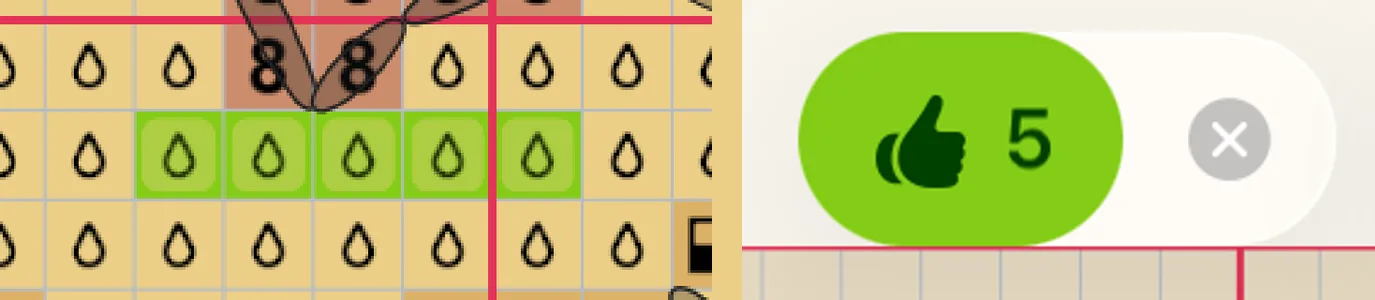
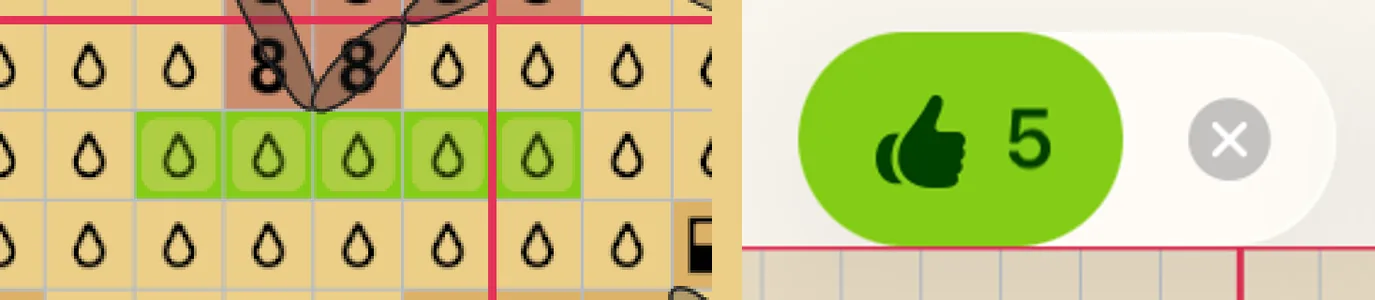
  1. With Mark, tap or stroke the squares you have stitched. Each one waits in a lime frame.
  2. The tools at the top turn into one button: 👍 with the number of squares waiting, and ✕ beside it.
  3. Tap 👍. The waiting squares become sewn crosses.
  4. Changed your mind? Tap ✕ instead: the squares stay as they were.
  1. 1Waiting squares
  2. 2👍 N confirms them
  3. 3✕ drops them
(1) Each tap adds a square to 👍. (2) Tap 👍: the squares are marked and the tools come back.

How waiting works

  • Nothing runs on a timer. Squares wait until you tap 👍 or ✕, even if you leave the chart or close the app.
  • Erasing waits too: 👍 −5 takes five marks off. See Erase and undo.
  • Backstitch is counted in lines: 👍 3 lines.
  • One 👍 is one step to undo, however many squares it marked. So is one ✕.

Mark at once, without 👍

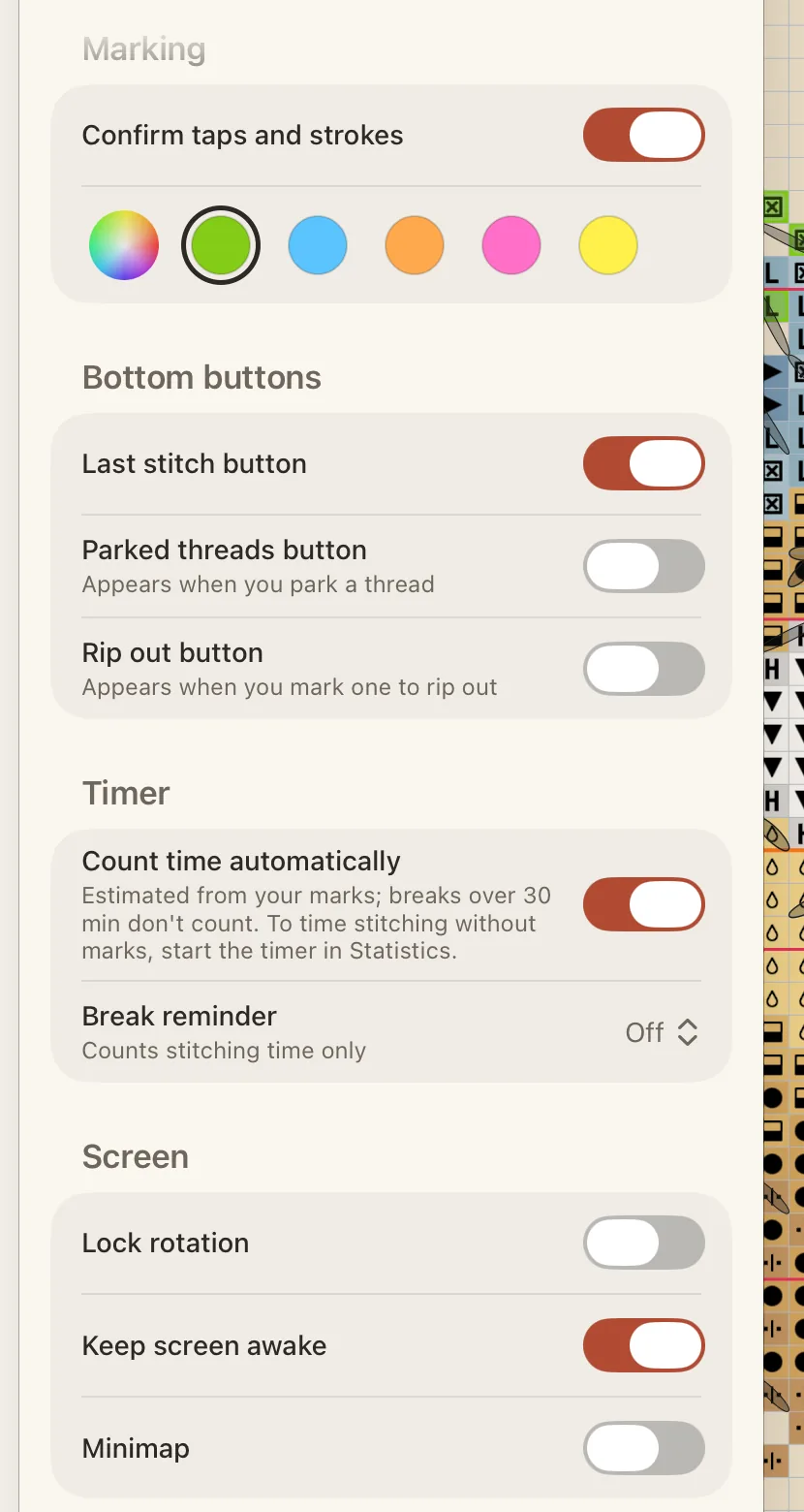
  1. Tap the gear at the top to open the Pattern panel, then tap Tools.
  2. Under Marking, turn off Confirm taps and strokes.

If squares are waiting when you turn it off, Crosstela asks whether to mark them or Discard them. While it is on, the row of colours under it sets the frame colour of waiting squares; lime is the default.

  1. 1Marking
  2. 2Bottom buttons
  3. 3Keep screen awake

ПосібникВишивання

Підтверджуйте позначки 👍

Дотик або рух спершу підсвічує клітинки, тож випадковий дотик не зарахується; 👍 позначає їх усі за один крок.

  1. З Позначити торкніться вишитих клітинок чи проведіть по них. Кожна чекає в салатовій рамці.
  2. Інструменти вгорі стають однією кнопкою: 👍 з кількістю клітинок, що чекають, і ✕ поруч.
  3. Торкніться 👍. Клітинки, що чекали, стають вишитими хрестиками.
  4. Передумали? Торкніться ✕: клітинки залишаться як були.
  1. 1Клітинки, що чекають
  2. 2👍 N підтверджує їх
  3. 3✕ скидає їх
(1) Кожен дотик додає клітинку до 👍. (2) Торкніться 👍 — клітинки позначено, інструменти повернулися.

Як працює очікування

  • Таймера немає. Клітинки чекають, доки ви не торкнетеся 👍 або ✕, навіть якщо ви вийдете зі схеми чи закриєте застосунок.
  • Стирання теж чекає: 👍 −5 знімає п’ять позначок. Див. Стирайте й скасовуйте.
  • Бекстіч рахується лініями: 👍 3 лінії.
  • Одне 👍 — це один крок скасування, хоч скільки клітинок воно позначило. Так само й одне ✕.

Позначати одразу, без 👍

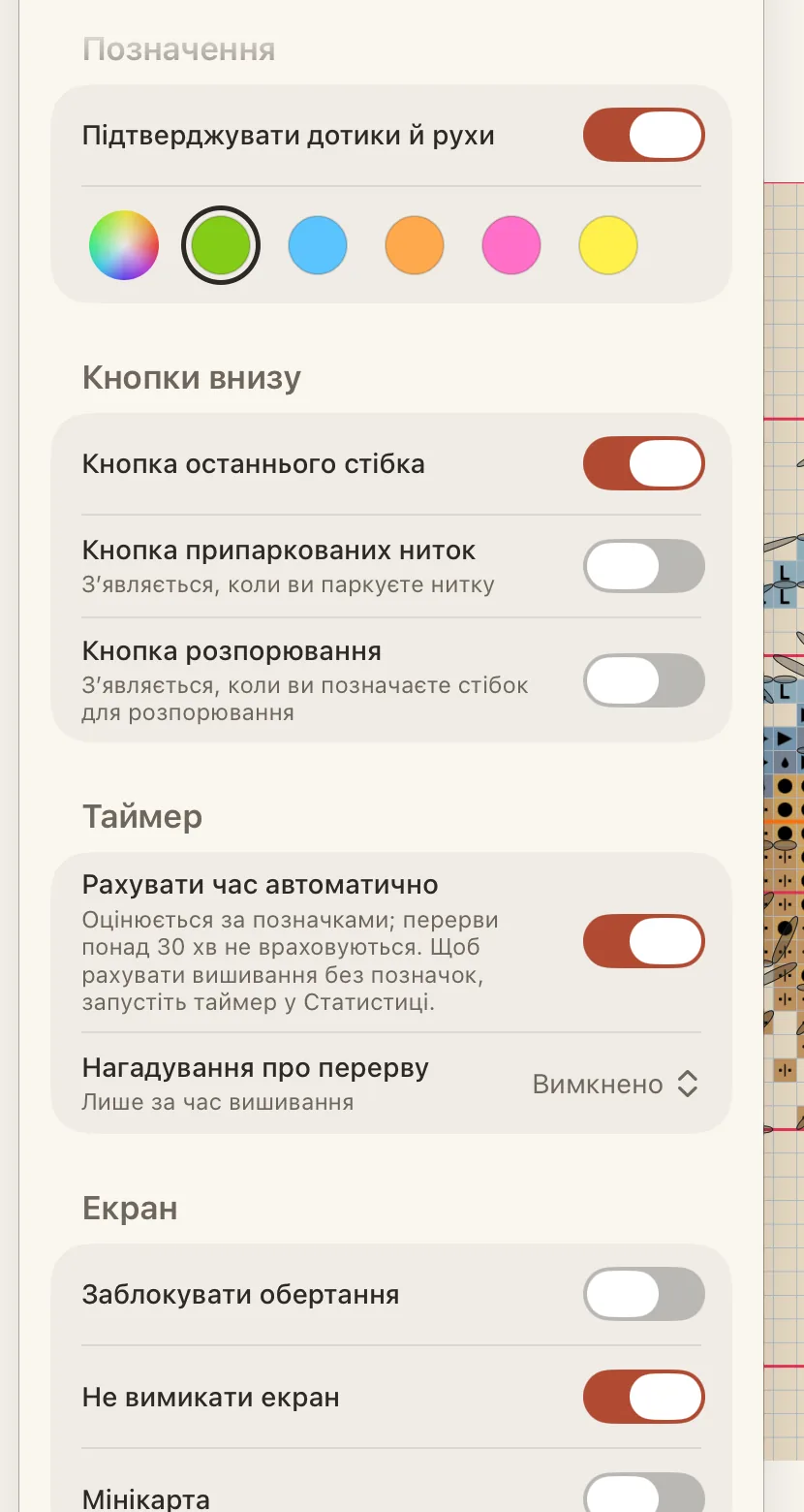
  1. Торкніться шестірні вгорі, щоб відкрити панель Схема, а потім — Інструменти.
  2. У розділі Позначення вимкніть Підтверджувати дотики й рухи.

Якщо в цей момент якісь клітинки чекають, Crosstela запитає, позначити їх чи Відкинути. Поки параметр увімкнено, ряд кольорів під ним задає колір рамки клітинок, що чекають; стандартний — салатовий.
  1. 1Позначення
  2. 2Кнопки внизу
  3. 3Не вимикати екран