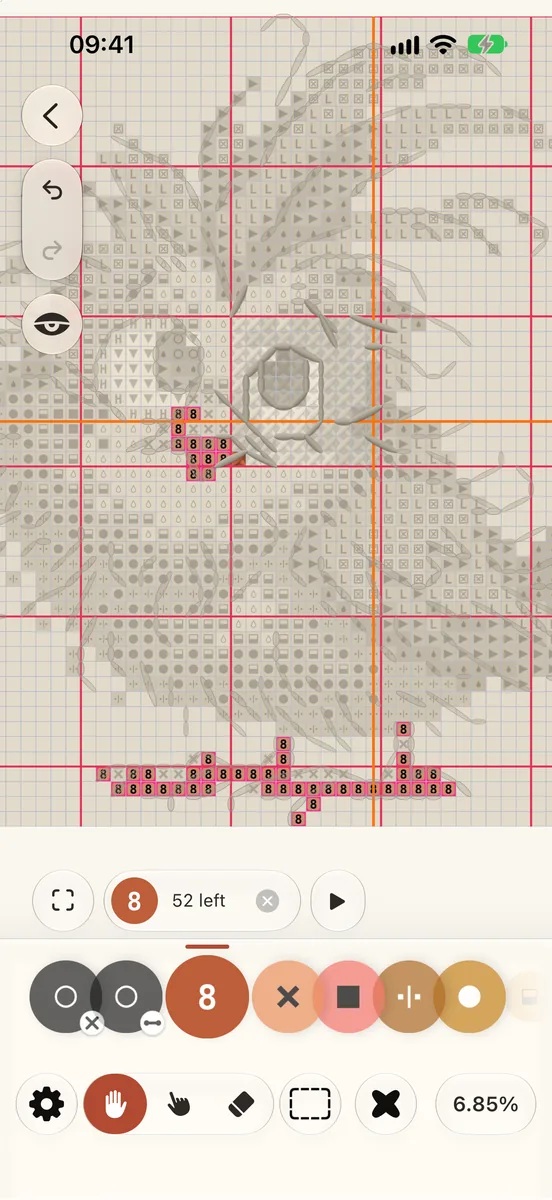
Tap a colour and only its stitches stay bright; the rest of the chart steps back.
Tap a colour on the colour rail at the side of the chart.
Its stitches keep their colour. Every other colour fades towards the cloth.
A capsule at the foot shows how many of its stitches are left.
To see every colour again, tap the same colour, or ✕ in the capsule.
(1) Tap a colour on the rail. (2) The other colours step back. (3) Tap it again to see them all.
Go through its patches
Tap ▶ beside the capsule to fly from one patch of that colour to the next. While you walk, ‹ and › step back and on, and the capsule says where you are, such as 5 / 20. ■ ends the walk.
More from a colour’s menu
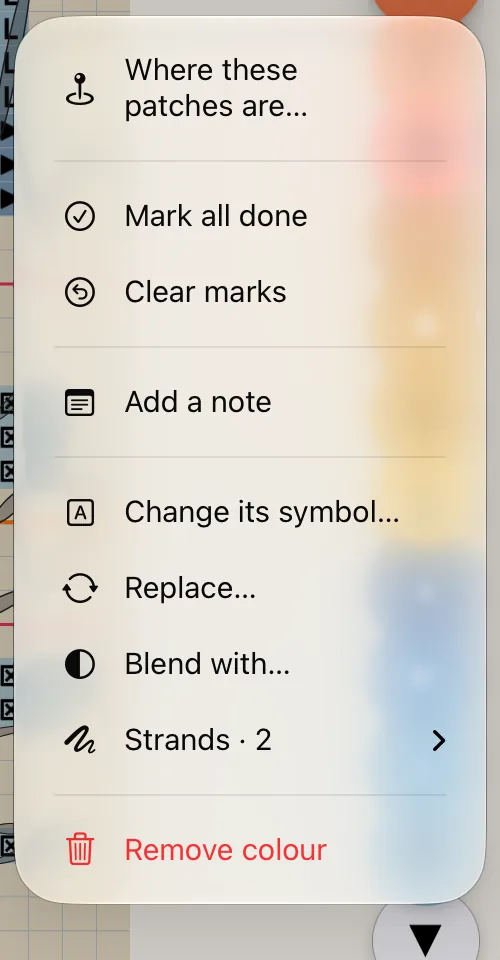
Press and hold a colour on the rail or in the Palette. The menu offers only what can act:
Show this too adds it to the colours showing; Stop showing this one takes it away again.
Where these patches are… lists its patches.
Mark all done marks every stitch of that colour; Clear marks takes its marks off.
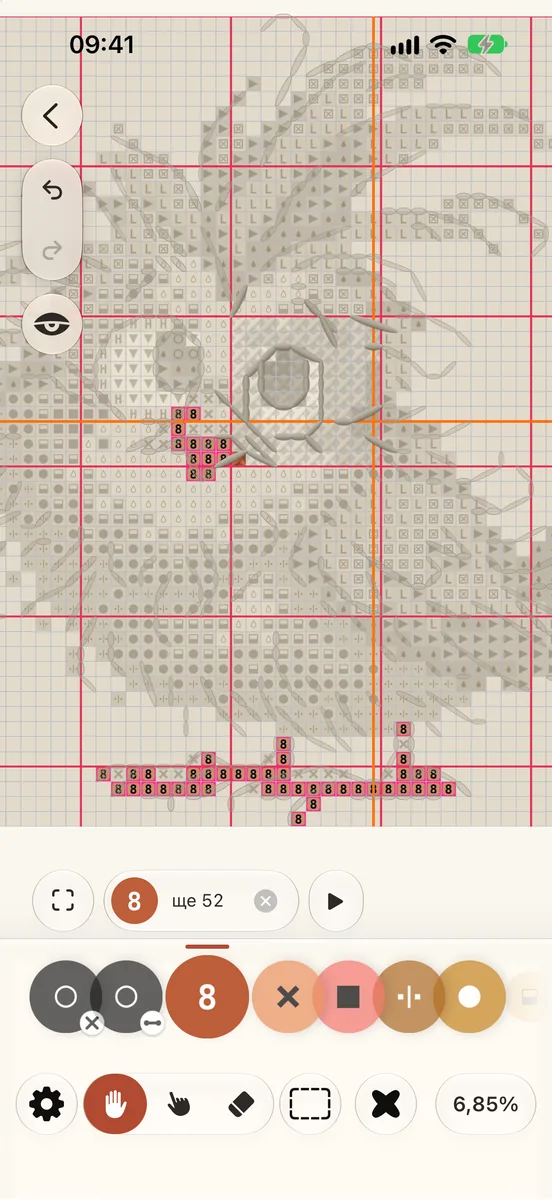
Торкніться кольору — і яскравими лишаться тільки його стібки; решта схеми відступить.
Торкніться кольору на шкалі кольорів збоку схеми.
Його стібки зберігають свій колір. Усі інші кольори тьмяніють, наближаючись до кольору полотна.
Капсула внизу показує, скільки його стібків лишилося.
Щоб знову побачити всі кольори, торкніться того самого кольору або ✕ у капсулі.
(1) Торкніться кольору на шкалі. (2) Інші кольори відступають. (3) Торкніться ще раз, щоб побачити всі.
Пройдіть його ділянками
Торкніться ▶ біля капсули, щоб переходити від однієї ділянки цього кольору до наступної. Під час обходу ‹ і › ведуть назад і вперед, а капсула показує, де ви, наприклад 5 / 20. ■ завершує обхід.
Більше в меню кольору
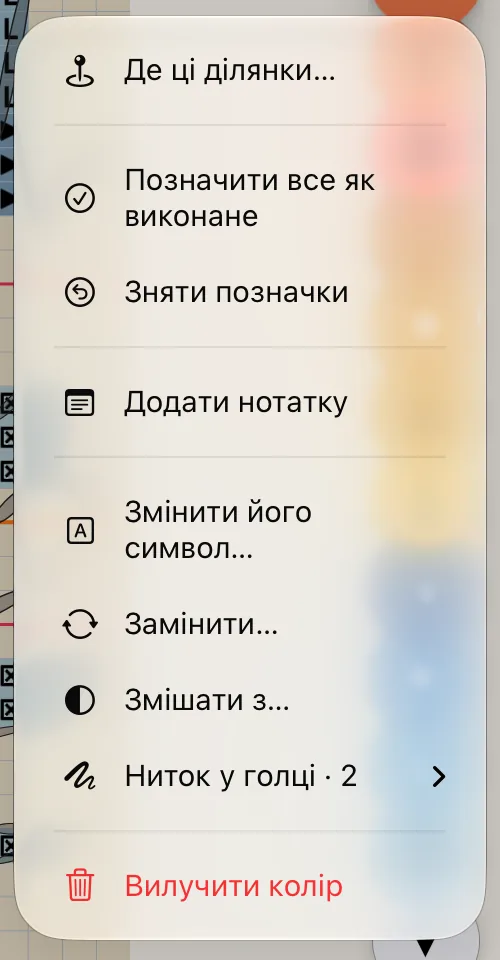
Утримуйте колір на шкалі або в Палітрі. У меню лише те, що зараз можна зробити:
Показати й цей додає колір до показаних; Перестати показувати цей колір знову прибирає його.
Де ці ділянки… показує список його ділянок.
Позначити все як виконане позначає всі стібки цього кольору; Зняти позначки знімає їх.